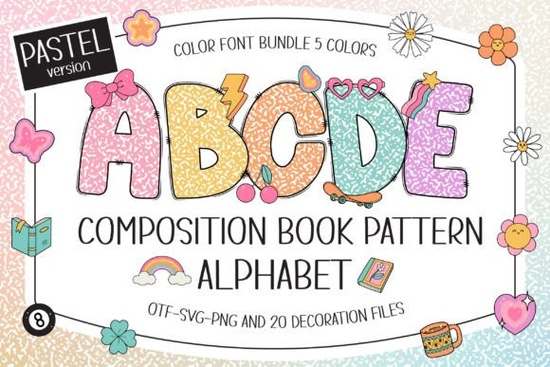
The Composition Book Pattern Pastel Font is a colorful typeface that recreates the classic black-and-white composition notebook pattern, but in five soft pastel shades. It also includes 20 Y2K-style doodle cliparts, making it a solid choice for teachers, crafters, and anyone working on fun, nostalgic designs. If you've been looking for a playful font for classroom projects, scrapbooking, or sublimation work, this one is worth a closer look.
What Comes With This Font?
When you download this font, you get:
- Five pastel color variations of the composition book pattern alphabet
- 20 matching Y2K-style doodle cliparts
- OTF and/or TTF files for the color version
- A design that works with programs like Photoshop, Illustrator, Silhouette Studio, and Inkscape
The black version of this font works with Cricut Design Space and other cutting machines. However, the pastel color version is not compatible with Cricut it only works in certain design software. Keep that in mind when planning your project.
What Can I Use This Font For?
This font works well across a range of creative projects. Here are some popular uses:
- Classroom decorations bulletin boards, name tags, and welcome signs
- Learning materials worksheets, flashcards, and educational posters
- Scrapbooking titles, captions, and decorative elements
- Personalized gifts custom mugs, tote bags, and stationery
- T-shirt and merch sublimation apparel designs with a nostalgic notebook feel
- DIY craft projects stickers, planners, and journal covers
- Print-on-demand products notebooks, phone cases, and wall art
The composition notebook look is instantly recognizable. Combined with pastel colors, it gives projects a fun, retro vibe without feeling dated.
How Does It Compare to Other Playful Fonts?
If you're building a collection of colorful fonts for crafts, this pastel notebook font pairs well with other whimsical options. For example, the hand-drawn scribble style of the Sweet Scribble Font offers a casual look that complements the notebook aesthetic. Mixing and matching different font styles helps you create designs that stand out.
You can explore more details and previews on our detailed product page for this pastel notebook font, where you'll find usage tips and sample layouts.
Which Software Do I Need?
This is one of the most common questions about color fonts, and it's important to get right before you buy.
The pastel color version works in:
- Adobe Photoshop
- Adobe Illustrator
- Silhouette Studio (Designer Edition or higher)
- Inkscape (free option)
The black version works in all of the above plus Cricut Design Space and most other cutting machine software.
If you're new to using color fonts, the Composition Book Pattern Pastel Font page on Creative Fabrica links to their Ultimate Font Guide, which walks you through installation and usage step by step.
Tips for Getting the Best Results
- Choose the right file format Use OTF files for full feature support in design software.
- Test before committing Open the font in your preferred software to confirm compatibility before starting a large project.
- Pair with simple backgrounds The composition book pattern is detailed, so solid or lightly textured backgrounds let the font stand out.
- Use the included cliparts The 20 Y2K doodle elements are designed to match the font. Use them as accents for a cohesive look.
- Check your cutting machine Remember, the color version won't cut correctly in Cricut. Stick with the black version for vinyl and iron-on projects.
Is This Font Right for My Project?
Choose this font if you want a playful, nostalgic typeface for educational or personal projects. It's especially useful for teachers, parents making learning materials, and crafters who love the composition notebook aesthetic. The pastel colors add a modern twist that works well for both kids and adults.
Skip it if you primarily use Cricut for full-color work, since the pastel version won't be compatible. In that case, the black version still gives you the composition book look and works with cutting machines.
Quick Checklist Before You Buy
- ✅ Confirm your design software supports color fonts (Photoshop, Illustrator, Silhouette, Inkscape)
- ✅ Decide if you need the color version, black version, or both
- ✅ Review the 20 included cliparts to see if they fit your project style
- ✅ Read the Ultimate Font Guide if you've never installed a color font before
- ✅ Plan your project classroom decor, sublimation, scrapbooking, or POD products
Starting with a small test project is a good way to see how the font looks in your workflow before scaling up to bigger designs.
Explore Design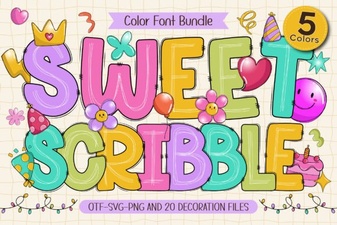 Sweet Scribble Font - Fun Colorful Handwritten Typeface Free Download
 Fishtail Monogram Regular Font Free Download
 Lemonhoney Duo Font: a Playful Pairing for Designers
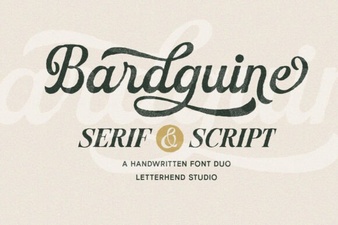 Bardguine Serif & Script Duo: Elegant Typography Pairing
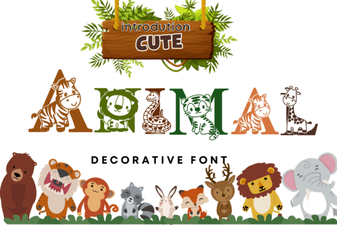 Adorable Animal Font for Playful Designs
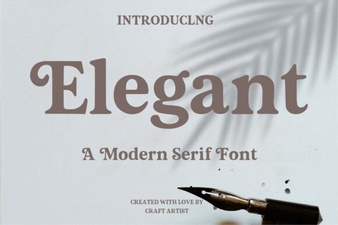 Elegant Font Designs That Elevate Your Creative Projects